Bulletin Board
Bulletin Board



【Michaels Adventure Guide】Redeem Code Tutorial
2026/05/29
Brand New Feature:【Redeem Code】
The Global Version introduces the all-new "Redeem Code" system!
If you want to redeem your codes, just follow these simple steps:
Step 1: Open System Settings
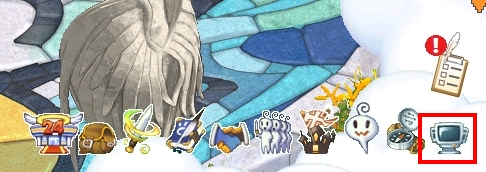
After entering the game, tap the "System" icon on the right side of the bottom menu bar.
Step 2: Select Redeem Code
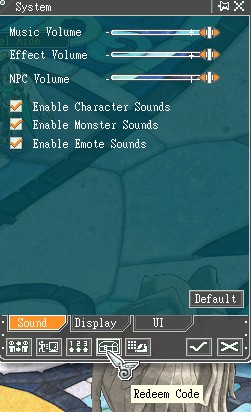
Once the System window opens, tap the "Redeem Code" button at the bottom.
Step 3: Enter Your Code
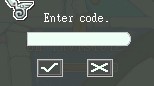
When the "Enter Code" pop-up appears, type your code into the field.
After checking that the code is correct, tap the "Confirm" button to complete the redemption.
Important Notes
Please make sure to enter the complete code, including all letters, numbers, and symbols.
If the redeem fails, please double-check if the code was entered correctly or if it has already expired.